Let’s cut to the chase—if you’re a small to mid-sized retail owner, a café manager, or even someone running a snack stand at a local farmers’ market, you’ve probably stared at a stack of crumpled receipts or a messy spreadsheet at 9 PM on a Sunday and thought, “There’s gotta be a better way to figure out what the hell I sold this week.” If you’re using a Windows-based POS system (and let’s be real, a lot of smaller businesses do—Windows is just more accessible for folks who don’t want to drop $1k+ on a fancy Mac setup for their checkout), you’ve definitely wondered at some point: can this thing actually generate real sales reports? Windows POS System
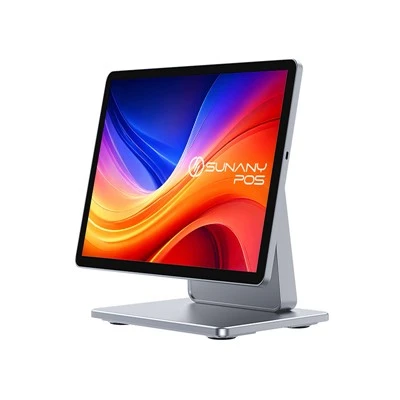
Full transparency: I’m not a data analyst with a Harvard MBA. I’m the guy who sells, supports, and troubleshoots these Windows POS systems for local businesses. I get 10+ DMs a week from people panicking because they tried to pull sales numbers last minute for their accountant, only to be told their old POS can’t do jack. The short answer? Yes, Windows POS systems can generate sales reports—but it’s not the one-size-fits-all, click-a-button-and-get-a-prettified-graph magic some big-name hardware sellers will advertise. It depends on the system you’re using, how you set it up, and whether you’re actually using the features that came with it (or upgraded to them).
Let’s start with the basics. A lot of people don’t realize that Windows POS systems aren’t just one thing. When I say Windows-based, I mean it runs on regular Windows 10 or 11, same as your laptop, not some closed-off tablet OS that only lets you do what the manufacturer tells you. That’s actually a huge perk, by the way—you’re not stuck in a walled garden. But that also means some lower-end, budget Windows POS systems (think the ones you can buy for $200 on Amazon with a free “POS app”) skimp on the reporting features to keep the price low. Those ones? Yeah, they might only show you total sales for the day, no breakdowns, no filters, and you’ll have to manually type numbers into a spreadsheet anyway.
But if you’re using a halfway decent Windows POS system—like the ones we supply—generating sales reports is actually straightforward, and way more customizable than you’d think. Let’s break down what you can actually pull, because “sales reports” is a vague term. No one just wants to know “I made $1,200 this week.” You want to know: what sold the most? What products are losing money? Did weekend sales actually beat weekday sales this month? How much did I make in tips? How many returns did I process, and for what?
A good Windows POS will let you filter reports by every single variable you care about. You can set the date range—last hour, yesterday, last 30 days, Q2, whatever. You can filter by product category: if you own a clothing store, you can pull a report just for jeans vs. t-shirts. If you run a coffee shop, you can separate lattes from pastries. You can also filter by payment type: cash, credit, Apple Pay, gift cards. That’s game-changing for small businesses, because it lets you see if a new payment method is actually cutting into cash sales, or if your gift card program is driving repeat business.
Wait, but what about real-time reports? I get asked that all the time. If you’re a busy manager who can’t be digging through menus at 2 PM on a Saturday wondering how the day is going, a Windows POS can do real-time sales reports too. Most of our systems let you pull up a live dashboard that shows total sales for the day, current top-selling item, how many transactions you’ve processed, and even average transaction value—all in big, easy-to-read numbers. No waiting, no exporting to a separate program, no logging into a separate portal. It’s right there on the POS screen, same spot where you ring up a customer. That’s the kind of thing that saves you 10 minutes every hour when you’re swamped, and 40 hours a month when you’re crunching end-of-month numbers.
But let’s be honest—this isn’t all rainbows and roses. The biggest pain point I see with Windows POS sales reports is people not knowing how to access them, or not setting up the system right in the first place. I can’t tell you how many times I’ve gotten a call from a café owner saying “my POS won’t let me pull last month’s sales tax report!” and it turns out they never set up the tax codes in the system properly when they first installed it. Or they forgot to ring up certain categories (like catering orders) through the POS, so those numbers don’t show up in the report at all.
Another common mistake? Trying to force a budget POS system to do something it’s not built for. If you bought a $150 Windows POS kit that came with a generic app from a no-name developer, don’t get mad when it can’t generate a profit and loss statement. Those apps are made for side hustles, not actual small businesses that need to track more than just total sales. The good news is, if you’re using a Windows POS system that’s built for business use (which is what we supply), the reporting tools are there, you just have to set them up correctly and use them regularly.
Oh, and one thing that a lot of people don’t talk about: exporting reports. You don’t have to stare at a boring text list on the POS screen. Most Windows POS systems let you export sales reports to Excel, CSV, or even Google Sheets in one click. That means you can send the report straight to your accountant, or plug it into a graph to show your landlord how busy you’ve been, or even run your own little analysis on what to stock more of next month. I had a bakery client last year who used the export feature to find that their pumpkin bread sold 3x more on rainy Saturdays than sunny ones—so they started baking double the amount on rainy days and cut their food waste by 25% that fall. That’s not magic, that’s just using a good sales report from a Windows POS to make better business decisions.
Wait, but is there a catch? Yeah, there’s always a catch. If you’re using a super old version of Windows, like Windows 7, most of the newer POS apps won’t work properly, so you’ll lose access to the advanced reporting features. That’s a pretty easy fix though—most small businesses can upgrade their POS hardware to run Windows 11 for like $100, tops, and it’s worth it for the reporting alone. Another catch: some Windows POS systems charge extra for advanced reporting tools. Again, that’s why it matters who you buy from. We don’t nickel and dime our customers for basic sales reports—they come standard with every system we sell. The only time you pay extra is if you want super custom, enterprise-level reports for multi-location businesses, but that’s for people running 5+ stores, not the local pizza shop down the street.
Let’s compare this to another common setup, just to put it in perspective. A lot of people use Square or Shopify POS for small businesses, right? Those are great for some things, but from what I see, their reporting is often buried behind a web portal, and if your internet goes down (which happens at every small business at some point), you can’t pull a real-time report. With a Windows POS system, all the data is stored locally on your hardware, so even if the Wi-Fi cuts out mid-day, you’re still tracking sales and can pull a report whenever you want, no internet required. That’s a huge win for places that don’t have reliable internet—like a rural grocery store or a food truck that sets up in a parking lot out of cell service range.
I should also mention that reports don’t just have to be for back-office stuff. If you have employees, you can generate sales reports broken down by cashier. That’s perfect for figuring out who’s ringing up the highest average transactions, or if someone’s not processing sales correctly (like not applying discounts properly, which cuts into your profit). We had a retail client a couple months ago who used the cashier-specific report to发现 a part-time employee was failing to process $200 worth of gift card sales over two weeks—they fixed the issue with a quick training, and recouped that money without having to fire anyone. That’s the kind of insight only a good sales report can give you.
Now, I’m not gonna sit here and lie to you. If you need super advanced stuff—like integrating with your inventory management software or your payroll system for a 20-location chain—you might need to do a little bit of extra setup, or upgrade to a higher-tier plan. But for 90% of small businesses (cafés, retail shops, gyms, salons, even food trucks), the sales reports from a Windows POS are more than enough to keep you on track, make smart stocking decisions, and make tax time way less painful.
So if you’re someone who’s been dealing with messy receipts and bad spreadsheets, and you’re thinking about switching to a Windows POS system, don’t sleep on the reporting features. A lot of people prioritize speed or cost when picking a POS, but the ability to pull clear, useful sales reports is what separates a POS that just processes transactions from one that actually helps you run your business better.

If you’re tired of guessing at your sales numbers, or you’ve had a bad experience with a POS that couldn’t give you the data you needed, reach out to our team to talk through your specific needs. We can walk you through exactly what sales reports our Windows POS systems generate, how to set them up, and even show you examples of reports from similar businesses so you know what to expect. We don’t do one-size-fits-all setups, so we’ll make sure the POS we recommend works for your store, your budget, and the kind of reports you actually need.
POS System 参考文献:
- Small Business Administration. (2022). POS System Features for Retail Operations. U.S. Small Business Administration.
- Retail Dive. (2023). Mid-Market POS Report: Core Capabilities and User Expectations. Retail Dive Media.
- Windows IoT Enterprise Documentation. (2024). Compatibility for Retail Point of Sale Devices. Microsoft Corporation.
- National Restaurant Association. (2023). Restaurant Tech Guide: POS Systems and Sales Reporting. National Restaurant Association.
Shenzhen Sunany Technology Limited
Shenzhen Sunany Technology Limited is one of the most professional windows pos system manufacturers and suppliers in China, featured by quality products and good price. Welcome to wholesale bulk advanced windows pos system made in China here and get pricelist from our factory. Contact us for customized service and OEM service.
Address: 7F, Building 2, Pingji Avenue No.13, Longgang, Shenzhen, China.
E-mail: info@sunany.com
WebSite: https://www.sunanypos.com/
