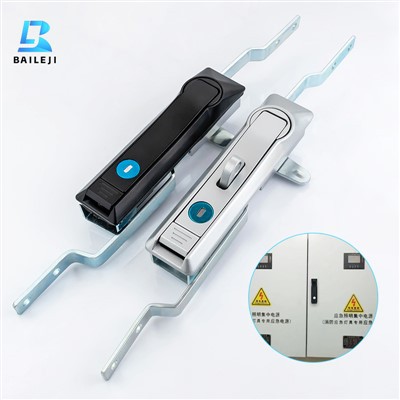
A smart cabinet lock is a revolutionary addition to modern security systems, offering enhanced protection and convenience for various applications. As a supplier of smart cabinet locks, I’m excited to share the installation process with you. This guide will walk you through each step, ensuring a seamless and successful installation. Smart Cabinet Lock
Pre – installation Preparations
Before starting the installation, it’s crucial to gather all the necessary tools and materials. You will need a screwdriver, a drill (if required for mounting), a measuring tape, and the smart cabinet lock kit, which typically includes the lock mechanism, mounting brackets, screws, and a user manual.
Inspect the cabinet where the lock will be installed. Ensure that the surface is clean, flat, and free of any debris or obstructions. Measure the dimensions of the cabinet door and the area where the lock will be mounted to ensure a proper fit. Check the compatibility of the lock with the cabinet. Different smart cabinet locks are designed for specific types of cabinets, such as wooden, metal, or plastic. Make sure the lock you have is suitable for your cabinet material.
Step 1: Mounting the Lock Body
The first step is to mount the lock body on the cabinet door. Refer to the user manual for the specific mounting instructions, as the process may vary depending on the lock model.
- Mark the Mounting Holes: Use a measuring tape and a pencil to mark the positions of the mounting holes on the cabinet door. Make sure the marks are straight and evenly spaced.
- Drill the Holes: If the cabinet material requires drilling, use an appropriate drill bit to create the holes at the marked positions. Be careful not to drill too deep or damage the cabinet.
- Attach the Lock Body: Align the lock body with the drilled holes and insert the screws. Use a screwdriver to tighten the screws securely. Make sure the lock body is firmly attached to the cabinet door and is level.
Step 2: Installing the Strike Plate
The strike plate is the part of the lock that is mounted on the cabinet frame. It is designed to receive the locking mechanism when the door is closed.
- Determine the Position: Close the cabinet door and mark the position of the strike plate on the cabinet frame. The strike plate should align with the locking mechanism on the door.
- Mount the Strike Plate: Similar to mounting the lock body, drill holes in the cabinet frame if necessary and attach the strike plate using the provided screws. Ensure that the strike plate is properly aligned and securely fastened.
Step 3: Connecting the Wiring (if applicable)
Some smart cabinet locks require electrical wiring to function. If your lock is wired, follow these steps:
- Identify the Wires: Refer to the user manual to identify the different wires in the lock kit. There are usually power wires, ground wires, and communication wires.
- Connect the Wires: Connect the wires according to the wiring diagram provided in the manual. Make sure to connect the wires correctly to avoid any electrical issues. Use wire connectors or soldering to secure the connections.
- Test the Wiring: After connecting the wires, test the lock to ensure that it is functioning properly. Use the provided remote control or the mobile app to lock and unlock the cabinet.
Step 4: Pairing the Lock with a Mobile Device or Remote Control
Most smart cabinet locks can be paired with a mobile device or a remote control for easy operation.
- Download the App: If your lock is compatible with a mobile app, download the app from the app store. Follow the instructions in the app to create an account and log in.
- Pair the Lock: Open the app and follow the on – screen instructions to pair the lock with your mobile device. This usually involves scanning a QR code on the lock or entering a pairing code.
- Test the Pairing: Once the lock is paired, test the lock using the app or the remote control. Lock and unlock the cabinet several times to ensure that the pairing is successful.
Step 5: Programming the Lock
After the lock is installed and paired, you can program it to suit your needs.
- Set User Codes: You can set up user codes for different users. This allows each user to have their own unique code to access the cabinet. Enter the codes in the app or on the lock’s control panel according to the instructions.
- Set Access Times: Some smart cabinet locks allow you to set access times for different users. For example, you can set a specific time range during which a user can access the cabinet.
- Enable Additional Features: Depending on the lock model, you may be able to enable additional features such as auto – locking, tamper alerts, or activity logs.
Troubleshooting Tips
If you encounter any issues during the installation process, here are some common troubleshooting tips:
- Lock Not Working: Check the power supply. If the lock is battery – powered, make sure the batteries are installed correctly and have enough charge. If it is a wired lock, check the wiring connections.
- Pairing Issues: If you are having trouble pairing the lock with your mobile device or remote control, make sure the lock is in pairing mode and that you are following the correct pairing instructions.
- Alignment Problems: If the lock is not locking or unlocking properly, check the alignment of the lock body and the strike plate. Adjust the position of the strike plate if necessary.
Conclusion
Installing a smart cabinet lock is a relatively straightforward process that can significantly enhance the security and convenience of your cabinets. By following the steps outlined in this guide, you can ensure a successful installation. If you have any questions or need further assistance during the installation process, don’t hesitate to reach out. As a supplier of smart cabinet locks, we are committed to providing our customers with high – quality products and excellent customer service. Whether you are a homeowner looking to secure your personal belongings or a business owner in need of a reliable cabinet locking solution, our smart cabinet locks are the perfect choice.
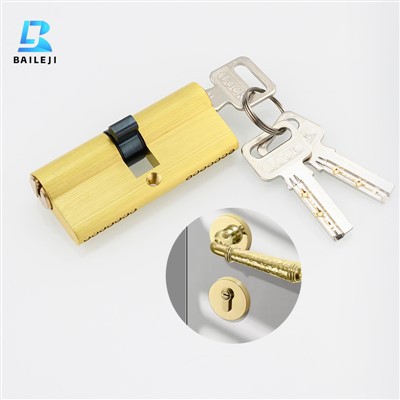
Mechanical Lock If you are interested in purchasing our smart cabinet locks or have any questions about our products, please contact us. We look forward to discussing your needs and helping you find the best locking solution for your cabinets.
References
- Manufacturer’s user manuals for smart cabinet locks
- Industry standards for cabinet lock installation
Suzhou Baileji Intelligent Lock Industry Co., Ltd.
As one of the most professional smart cabinet lock enterprises in China, we’re featured by quality products and good price. Please rest assured to buy discount smart cabinet lock in stock here and get pricelist from our factory. Also, customized service is available.
Address: 3rd Floor, Building 9, Shengteng Industrial Park, No. 8 Ruyuan Road suzhou, jiangsu, China
E-mail: vip@bailejilocks.com
WebSite: https://www.bailejilock.com/
